guide
Earth to the Milky Way
Change your sense of scale in four stops: our home planet, its Moon, the measured nearby stars and the galaxy that contains them. Take as long as you like at each stop.
Measured facts
- Pace
- Four stops, no autoplay or forced timing
- Controls
- Drag to orbit; scroll or pinch to travel; return to Earth at any time
Your route
1. Start at home. Drag to orbit Earth. Scroll or pinch to travel. You control the view at every stop.
2. Our nearest neighbour. Earth and Moon use observational mosaics. Their positions follow the selected-date JPL Horizons archive.
3. Into the measured stars. Gaia DR3 supplies the nearby stars. Their positions are measurements, not a decorative star field.
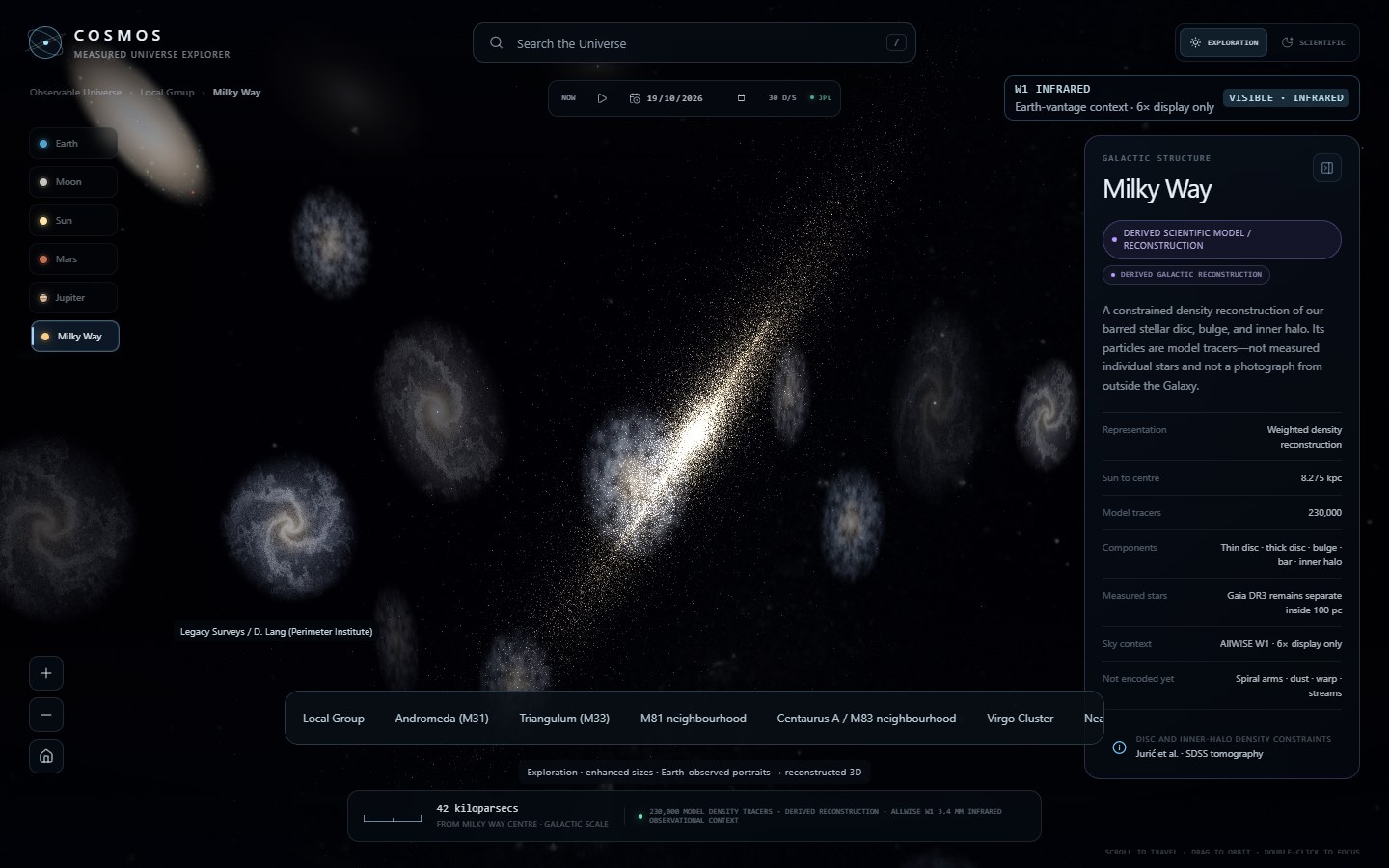
4. See our galaxy. The Milky Way is a source-attributed density reconstruction, not an outside photograph. Orbit it, or travel home.
What the journey means
These camera flights are a way to compare scales, not a spacecraft trajectory or a physical travel-time simulation. Each stop uses the existing COSMOS scene and its ordinary controls. Restart revisits the first stop; exit keeps you where you are, with unrestricted exploration.
Planet positions come from a bounded JPL Horizons archive. Gaia stars have measured astrometry. Galactic forms and density tracers are explicitly reconstructed: their light, colour and unseen depth do not become measurements because the camera can move through them.
Beyond the Milky Way, published catalogue distances place galaxy centres in three dimensions. Samples have selection limits and distance uncertainties. Exploration mode enhances display sizes and brightness for discovery; Scientific mode retains physical sizes. Neither mode changes the catalogue coordinates.
Sources and further reading
Content updated 2026-10-19. Every value on this page is computed from the shipped datasets; where a source publishes no value, the page says so instead of estimating one.